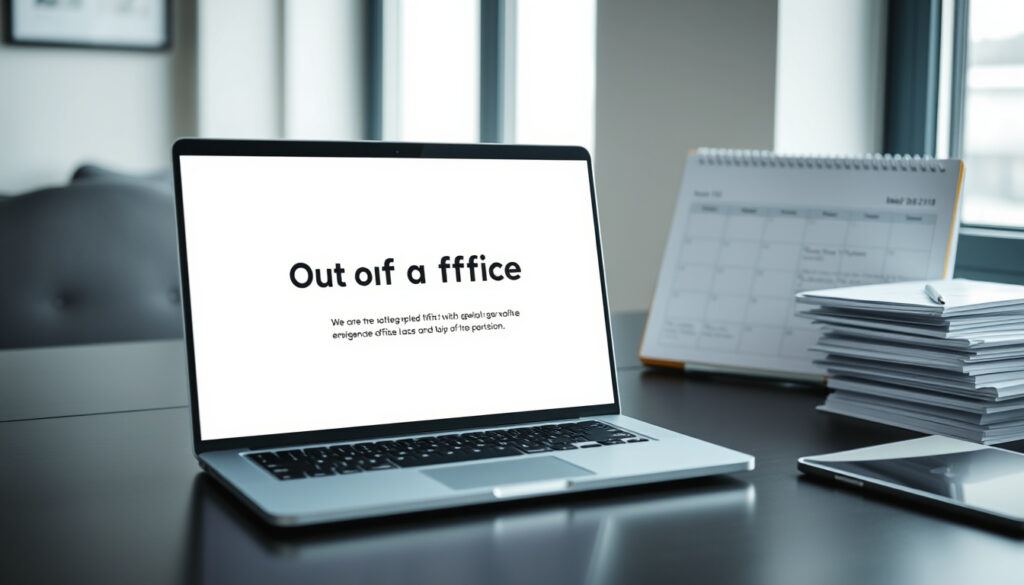
Out of Office Message – Templates and Best Practices
An out of office message serves as an automated response that notifies senders when you are unavailable. These auto-reply messages provide essential information about your absence, including return dates and alternative contacts for urgent matters. Whether you are on vacation, dealing with illness, or traveling for business, a well-crafted OOO message maintains professional communication while you are away from your inbox.
Professionals across industries rely on these automated responses to manage expectations with clients, colleagues, and business partners. The message acts as a digital stand-in, ensuring that important communications do not fall through the cracks during your absence. Understanding how to write effective out of office messages, set them up correctly, and tailor them to different scenarios can significantly improve your professional image and responsiveness.
This guide covers everything from essential components and professional templates to platform-specific setup instructions for Gmail and Outlook. You will find practical examples for various situations, from brief vacation notices to extended maternity leave announcements, along with best practices that help maintain clear communication regardless of your absence duration.
How to Write an Effective Out of Office Message
Writing an effective out of office message requires balancing completeness with conciseness. The goal is to provide all necessary information without overwhelming recipients with unnecessary details. Several core elements determine whether an auto-reply achieves this balance successfully.
Essential Components Overview
Key Insights for Professional Messages
- A clear subject line helps recipients immediately identify automated messages
- Including specific dates manages expectations about your availability window
- Providing an alternate contact ensures urgent matters receive timely attention
- Stating your limited email access prevents assumption of immediate responses
- Professional tone maintains credibility across all business relationships
- Keeping messages under 150 words respects recipient time while conveying essentials
- Setting clear response expectations upon return reduces follow-up pressure
Do and Do Not Comparison
| Element | Do | Do Not |
|---|---|---|
| Subject Line | Include clear dates in the subject, such as “Out of Office: Returns March 15” | Use vague subjects like “I am away” without specifying timeline |
| Body Content | Provide alternative contacts and specific return dates | Leave recipients without anyone to contact for urgent matters |
| Tone | Maintain professional and friendly language throughout | Use overly casual humor unless client-facing and contextually appropriate |
| Reason for Absence | Offer vague reasons like “on vacation” or “business travel” only | Over-share personal details or medical information |
| Expectations | State that you will respond upon return or within a specific timeframe | Promise immediate responses when you will have limited access |
| Format | Use plain text structure for screen reader accessibility | Include complex images or formatting that may not display correctly |
Out of Office Message Examples and Templates
Different situations call for tailored approaches when composing your auto-reply. The following templates provide starting points that you can customize based on your specific circumstances and professional requirements.
General Vacation Template
Subject: Out of Office – Returning [Date]
Hello,
Thank you for your message. I am currently out of the office on vacation and will return on [Date]. During this period I will have limited access to email.
I will respond to your emails as soon as possible after I return.
Best regards,
[Your Name]
Sick Leave Template
Subject: Out of Office – Away Due to Illness
Hello,
I am currently out of the office on sick leave and unable to respond to emails. I expect to be away until [Date], subject to recovery.
For urgent matters, please reach out to [Colleague Name] at [email address].
Sincerely,
[Your Name]
Business Travel Template
Hello,
I will be out of the office traveling for business from [start date], returning on [return date]. I will have limited access to email during this time, but I will do my best to respond to urgent matters as soon as possible.
For immediate assistance related to [project name], please contact [colleague] at [email address].
Best regards,
[Your Name]
Healthcare and therapy professionals should emphasize empathy and client reassurance in their messages, including crisis hotline information for sensitive situations. Sales and consultant communications benefit from project-specific contact details that maintain client relationships during absence.
Short Absence Template
Subject: Out of Office
Thank you for your email. I am currently away until [date] and will respond upon my return.
Best regards,
[Your Name]
Maternity and Paternity Leave Template
Subject: Out of Office – Maternity/Paternity Leave
Hello,
Thank you for your message. I am currently on maternity/paternity leave until [Return Date]. During this period I will not be checking emails regularly.
For urgent matters, please contact [Alternative Contact Name] at [email address].
Best regards,
[Your Name]
How to Set Up an Out of Office Message
Setting up an automated response varies depending on your email platform. Both Gmail and Outlook offer straightforward processes that can be completed in just a few minutes, with options to schedule automatic activation and deactivation based on your calendar.
Gmail and Google Workspace Setup
Gmail users can access out of office settings through the platform configuration options. Navigate to your account settings where you will find the vacation responder feature. This function integrates with your calendar in Google Workspace, allowing for automatic activation and deactivation based on scheduled events.
To configure your vacation responder in Gmail, access the settings menu and locate the vacation responder option. You will need to specify the dates of your absence, compose your message, and decide whether the auto-reply should be sent to everyone or only to contacts within your organization.
Test your message by sending it to a personal account before officially enabling the vacation responder. This allows you to verify how the message appears to recipients and make adjustments to tone or content as needed.
Microsoft Outlook Setup
Outlook users access automatic replies through the File menu in the application. Once there, selecting the Info section reveals the Automatic Replies configuration options. This platform allows you to create separate messages for internal and external recipients, providing greater control over your communication during absence.
The setup process includes options to set start and end times, draft different messages for colleagues versus external contacts, and configure rules that determine when and to whom auto-replies are sent. This flexibility proves particularly useful for professionals managing sensitive client relationships.
For comprehensive setup guidance, Microsoft provides detailed instructions through their official support documentation, walking users through each configuration step.
Remember to disable your out of office message when you return. An automated response active long after your return date can appear unprofessional and may frustrate senders expecting timely replies.
What Is an Out of Office Message?
An out of office message, also referred to as an auto-reply, vacation responder, or OOO email, is an automated response generated by your email system when you receive messages during your absence. These notifications serve as digital placeholders, informing senders that you are temporarily unavailable while providing them with actionable next steps.
The functionality works by detecting incoming emails and automatically sending your pre-configured response. This process happens without manual intervention, ensuring that every sender receives notification regardless of when they reach out. Modern email platforms integrate these features with calendar systems, allowing for hands-free management of automated responses.
Beyond simple absence notification, these messages function as professional communication tools that maintain relationships during periods when direct correspondence is not possible. They set clear expectations, redirect urgent inquiries appropriately, and demonstrate your commitment to responsive communication even while away.
How Long Should an Out of Office Message Be?
The ideal length for an out of office message falls between four and six sentences, typically totaling fewer than 150 words. This length provides sufficient space to convey essential information without burdening recipients with excessive details.
For brief absences of a day or two, even shorter messages suffice. A simple statement indicating your return date and intention to respond upon return often meets the need. Extended absences, such as vacations of a week or more, may require slightly more detail including alternative contact arrangements, but should still avoid becoming overly verbose.
The key principle is providing value to the recipient while respecting their time. Recipients generally need to know when you will return, whether you will have any email access during your absence, and who they can contact for urgent matters. Any additional detail beyond these essentials typically adds clutter without meaningful benefit.
Best Practices for Out of Office Messages
Following established best practices ensures your automated responses maintain professionalism while effectively managing sender expectations. These guidelines apply across industries and scenarios, though specific customization may enhance their effectiveness for particular contexts.
- Use a clear subject line that immediately identifies your message as an automated out of office response, such as “Out of Office: [Your Name] Returns [Date]”
- Include specific dates that communicate exactly when your absence begins and ends, helping recipients plan their follow-up actions
- Provide an alternate contact with the explicit permission of that colleague, ensuring urgent matters reach appropriate parties
- State your email access limitations honestly, preventing assumptions of immediate responsiveness
- Set clear return expectations by indicating when you will begin responding to messages after your return date
- Maintain professional tone throughout, reserving casual humor only for appropriate client relationships where it adds value
- Avoid over-sharing personal information about your reason for absence, keeping details brief and vague when relevant at all
Common mistakes to avoid include failing to include a return date, providing excessive personal details, using unprofessional humor, and forgetting to disable the auto-reply upon your return. Each of these missteps can undermine the effectiveness of your communication and potentially create awkward situations with senders.
Understanding Message Customization
While standard templates provide reliable foundations, customizing your auto-reply for specific circumstances often improves effectiveness. The appropriate level of customization depends on your role, industry, and the nature of your typical email correspondence.
Professionals in client-facing roles may benefit from more personalized greetings and detailed alternative contact arrangements. Those in healthcare or therapeutic settings should emphasize empathetic language and ensure crisis resources remain accessible during their absence. Sales and consultant roles often require project-specific contact information that maintains momentum on ongoing work.
Standard best practices are well-established and confirmed by major email providers. However, customizing your approach based on your specific professional context and relationships often produces better outcomes than applying generic templates without adjustment.
Professional Communication Standards
Effective out of office messages contribute to broader professional communication standards by demonstrating respect for correspondent time and maintaining accessibility expectations. Organizations increasingly recognize these automated responses as essential tools for managing work-life boundaries while preserving professional relationships.
The impact of well-crafted auto-replies on professionalism is consistently positive across industries. Clear communication during absence helps maintain trust with clients and colleagues, ensuring they understand your availability limitations without interpreting silence as disregard for their needs. This proactive approach to communication management reflects maturity and organizational awareness.
For additional context on professional workplace communication standards, exploring resources from Google Workspace productivity guides can provide valuable frameworks for effective digital communication practices.
Summary
A well-crafted out of office message serves as an essential professional tool that manages expectations, maintains communication channels, and protects important relationships during your absence. The most effective messages include clear dates, alternative contacts for urgent matters, honest statements about email access, and professional tone throughout.
Whether you need a brief message for a one-day absence or a comprehensive template for extended leave, following the established components and best practices outlined here will help ensure your automated responses achieve their intended purpose. Take time to customize templates for your specific industry context and relationship requirements.
For related guidance on professional communication standards, consider exploring our comprehensive resources on Straight to Residence Visa NZ – How to Qualify and Apply which covers additional workplace communication frameworks.
Frequently Asked Questions
What exactly is an out of office message?
An out of office message is an automated email response that notifies senders of your temporary unavailability. It provides essential information including your return date, limited email access, and alternative contacts for urgent matters.
What are the essential elements every OOO message should include?
Every out of office message should include a clear subject line, polite greeting, absence statement, specific dates, information about email access limitations, an alternate contact for urgent matters, and a professional sign-off.
How do I set up an out of office message in Gmail?
In Gmail, access Settings and select the Vacation Responder option. Configure your dates, write your message, and choose whether to send replies to everyone or only contacts within your organization.
How do I configure automatic replies in Outlook?
In Outlook, go to File > Info and select Automatic Replies. Configure separate messages for internal and external senders, set your dates, and establish any rules for who receives your automated response.
What is the recommended length for an out of office message?
Keep your message under 150 words, typically four to six sentences. Focus on essential information: your return date, limited access notice, and alternative contact for urgent matters.
Should I include reasons for my absence in the message?
Keep reasons vague unless relevant. Generic options like “on vacation,” “business travel,” or “sick leave” suffice without sharing unnecessary personal details.
How do I handle urgent matters while away?
Always provide an alternate contact with their explicit permission. For sensitive contexts, include relevant resources like crisis hotlines if appropriate to your industry.
When should I disable my out of office message?
Disable your message immediately upon returning to work. An active vacation responder after your return date appears unprofessional and frustrates senders expecting responses.
More related posts
 Best Pizza Porteña Near Me: Guide to Argentinian Pizza in Ireland
 Which Is the Best Hair Straightener? 2026 Expert Guide & Reviews
 Destiny Church Protest Auckland – Key Facts and Timeline
 How to Cut Your Own Hair: Pro Tips for Home Cuts
 Wella Colour Fresh Mask: How to Use & Shade Guide
 Free Car Valuation NZ: How to Check Your Car’s Worth Online
 Thank You in Mandarin: Pronunciation, Tones & Myths
 Yen to NZ Dollar: Exchange Rate, Comparison, and Living Costs Guide
