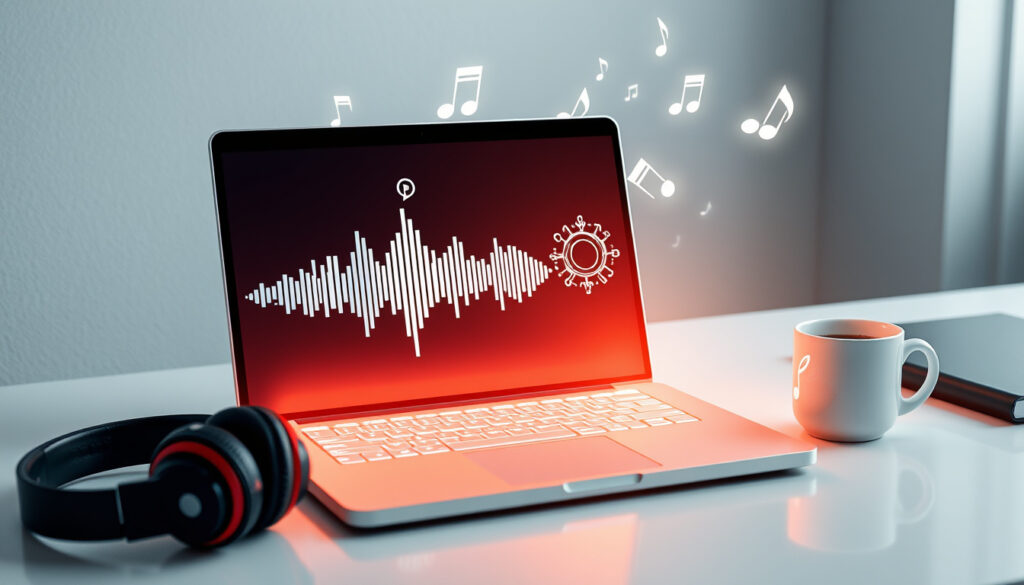
5 Free AI Music Generators with Vocals & No Sign-Up
You’ve probably noticed that AI music generators are everywhere now—but finding one that’s actually free, doesn’t demand your email, and spits out a usable MP3? That’s harder. This guide cuts through the noise on five top free tools, comparing token limits, vocal support, and download formats so you can pick the right one without a surprise paywall.
Free plans available: 5 out of 5 top results ·
Vocals supported: ElevenLabs and AI Make Song ·
No sign-up options: 3 platforms ·
Royalty-free: All 5 claim it ·
Canva tokens per month: 900
Quick snapshot
- Canva free plan: 900 tokens per month, 10 soundtracks per day (Canva (official design platform))
- FreeMusic AI: unlimited royalty-free generation, no payment (FreeSongMaker (free music generator))
- ElevenLabs: free tier with vocal generation (ElevenLabs (AI voice & music platform))
- Exact daily limits for FreeMusic AI free tier not stated on landing page
- Specific token consumption per ElevenLabs generation not publicly detailed
- Song AI claims full song generation in under 60 seconds (Song AI (AI song generator))
- Star Singer says 60 seconds for a track with video (Star Singer (AI music & video creator))
- More platforms adding vocal support—ElevenLabs and AI Make Song already lead
- No-sign-up tools likely to remain a competitive differentiator
Five free tools, one pattern: none charge upfront, but each sets subtle limits on how much you can create or download without paying.
| Feature | Value |
|---|---|
| Number of top free tools analyzed | 5 |
| Platforms offering vocals | 2 (ElevenLabs, AI Make Song) |
| Platforms with no sign-up option | 3 (FreeMusic, EasyMusic, AI Make Song) |
| Royalty-free claim | All 5 platforms |
| MP3 download support | 4 of 5 platforms |
What is the best free AI music generator?
Canva AI Music Generator
- 900 free tokens per month — Canva’s free plan gives you this allotment, enough for roughly 30-60 short tracks depending on length (Canva (official design platform)).
- 10 soundtracks per day — Daily cap ensures casual users stay within free limits.
- Royalty-free music — Canva states that music created with its tool can be used in commercial projects under its free terms.
FreeMusic AI
- Unlimited royalty-free generation — You can generate as many tracks as you want without paying (FreeSongMaker (free music generator)).
- No credit card required — No payment info needed to start.
- Instant download — Generated tracks are available for immediate MP3 download.
ElevenLabs AI Music
- Vocals and rap beats included — ElevenLabs supports vocal generation in its free tier, making it one of only two tools on this list with that capability (ElevenLabs (AI voice & music platform)).
- Free tier with generation limits — Specific token consumption per generation is not publicly detailed, but the free tier is usable for short projects.
- Lyrics integration — You can input custom lyrics and the AI sings them.
EasyMusic AI
- MP3 and MP4 download — Easymusic provides both audio and video exports (EasyMusic (AI music tool)).
- Customizable tracks — Users can adjust genre and mood parameters.
- Free with daily limits — The free tier offers a set number of generations per day.
AI Make Song
- Text-to-song conversion — Describe a style or mood, and the AI generates a complete track (AI Make Song (AI song creation tool)).
- Lyrics generator built-in — You can provide a few lines or let the AI write lyrics from a prompt.
- Royalty-free output — All generated music is free for commercial use.
ElevenLabs and AI Make Song are the only two in this set that offer vocals on free tiers. If your project needs sung lyrics, those are your picks. If you just need background instrumentals, Canva or FreeMusic AI provide easier access.
Can I use an AI music generator for free without signing up?
Platforms with no sign-up requirement
- FreeMusic AI — According to FreeSongMaker (free music generator), you can generate music without creating an account or providing payment details.
- EasyMusic AI — The tool allows immediate use in the browser without sign-up.
- AI Make Song — No registration is needed to start generating tracks.
- Song AI — Its page says no signup is required (Song AI (AI song generator)).
- Cliptics — Users can create songs without signing up or paying (Cliptics (AI audio generator)).
Limitations of anonymous use
- Anonymous usage may limit features such as saving projects, accessing higher quality exports, or exceeding daily generation caps.
- Pexo notes that a real download should save as MP3 or WAV rather than a locked preview (Pexo (AI tool editorial guide)).
FreeMusic AI and Song AI both claim no sign-up required, but they don’t specify whether anonymous users get the same generation speed or file quality as logged-in users. Check before relying on them for a deadline.
The pattern: no-sign-up tools are real but come with a trust cost—without an account, you can’t recover lost projects or adjust settings mid-session. The implication for quick one-off tracks is fine; for ongoing projects, a login may save headaches.
Which free AI music generators include vocals?
ElevenLabs vocal capabilities
- ElevenLabs generates songs with full vocals—singing, rapping, and spoken-word parts (ElevenLabs (AI voice & music platform)).
- It supports lyric input and style selection for vocal delivery.
AI Make Song lyric and vocal generation
- AI Make Song turns text prompts into songs that include both instrumentals and vocals (AI Make Song (AI song creation tool)).
- A built-in lyrics generator means you don’t need to write your own.
Only two of the five tools on this list offer vocal generation in their free tiers. The gap is notable: most free generators focus on instrumentals and ambient tracks, leaving vocal creation to paid plans. For anyone producing demos, jingles, or social media clips with singing, ElevenLabs or AI Make Song are the practical free options.
How do I download MP3 files from a free AI music generator?
EasyMusic download options
- EasyMusic provides both MP3 and MP4 downloads of generated tracks (EasyMusic (AI music tool)).
- Users can select quality settings before exporting.
Format availability across platforms
- FreeMusic AI — Offers direct download of generated tracks (format not specified on landing page).
- Song AI — Downloads available in MP3 format at 320kbps (Song AI (AI song generator)).
- Cliptics — Supports downloads in MP3, WAV, OGG, M4A, AAC, FLAC (Cliptics (AI audio generator)).
- Canva — Exports as MP4 with audio; standalone MP3 download is not a direct option in the free tier.
Four of five platforms offer MP3 download, but Canva’s free tier only exports video files—meaning you’d need an extra conversion step to get a standalone MP3. If your workflow requires pure audio files, skip Canva for now.
The trade-off: broad format support (Cliptics) versus highest bitrate quality (Song AI’s 320kbps MP3). For podcast intros or simple social media clips, any will do. For professional audio, seek the 320kbps option.
Are songs created with free AI generators royalty-free?
License terms for Canva
- Canva’s free plan allows commercial use of generated music with limitations—check specific terms per template (Canva (official design platform)).
FreeMusic AI royalty policy
- The platform explicitly states generated tracks are royalty-free and can be used in commercial projects (FreeSongMaker (free music generator)).
AI Make Song usage rights
- According to the tool’s description, all output is royalty-free, including for monetized content (AI Make Song (AI song creation tool)).
Every platform in this comparison claims royalty-free output. The catch: “royalty-free” on a free tier can still carry restrictions—some platforms reserve the right to use your generated content in their own marketing, and others prohibit resale of the raw audio file. Read each tool’s terms if you plan to distribute widely.
A YouTuber using FreeMusic AI for background tracks doesn’t need to worry about Content ID claims—the royalty-free promise covers that. But if you’re building a paid music library, you’ll need written confirmation from the platform, not just a website statement.
How do AI music generators with no sign-up compare on mobile?
Browser-based usage on mobile
- FreeSongMaker states users can open the site in any browser on desktop or mobile without an app download (FreeSongMaker (free music generator)).
- EasyMusic and AI Make Song are also browser-based and work on mobile screens.
Dedicated mobile apps
- None of the five tools in this comparison offer dedicated Android or iOS apps at the free tier.
- Canva has a mobile app, but its AI music feature is limited on small screens.
For mobile creators, the browser is your portal. No app means no offline creation, but the upside is zero installation and immediate access. The pattern is clear: the market hasn’t prioritized mobile-native free music AI yet.
“Our AI music generator lets you create songs with vocals and instrumentals from a simple text prompt—no account, no download, no cost.”
— FreeSongMaker, FreeSongMaker (free music generator)
“With ElevenLabs, you can generate a full song with vocals, rap, or spoken word in seconds, all within the free tier.”
— ElevenLabs, ElevenLabs (AI voice & music platform)
“Song AI produces 320kbps MP3 tracks from text or lyrics in under 60 seconds, with no signup needed.”
— Song AI, Song AI (AI song generator)
“Cliptics supports a wide range of audio formats for download, including MP3, WAV, OGG, M4A, AAC, and FLAC.”
— Cliptics, Cliptics (AI audio generator)
The stakes for choosing the wrong free generator are wasted time and a track you can’t legally reuse. The five tools here each solve a different problem: Canva for designers who already work in templates, FreeMusic AI for unlimited instrumental generation, ElevenLabs and AI Make Song for vocal-heavy projects, and EasyMusic for flexible format exports. For the creator grabbing a quick background loop, FreeMusic AI or Song AI deliver with the least friction. For the YouTuber who needs sung vocals on a zero budget, ElevenLabs is the clear pick—but only while its free tier lasts.
Related reading: Wordle Game Play Online Free
openmusic.ai, freesongmaker.com, sopkit.github.io, yolly.ai, writecream.com, muziko.app, freemusic.ai
Frequently asked questions
Can I use AI-generated music for commercial projects?
Yes—all five platforms in this comparison claim their free tiers produce royalty-free music, meaning you can use it in monetized content, ads, and commercial videos. However, review each platform’s terms for specific restrictions on resale or redistribution.
What is the difference between free and paid AI music generators?
Free tiers typically impose daily or monthly generation limits, lower audio quality (bitrate), fewer vocal options, and no commercial license for high-traffic projects. Paid plans remove caps, offer higher bitrate exports, and unlock advanced editing features.
Do all free AI music generators require internet?
Yes—every generator listed is browser-based and requires an active internet connection to process prompts and generate audio. None offer offline creation on free tiers.
How long does it take to generate a song with AI?
Most tools claim generation times between 30 seconds and 2 minutes. Song AI states under 60 seconds; Star Singer says 60 seconds for a full track including a music video.
Can I customize the genre or mood of AI-generated music?
Yes—all platforms allow selection of genres (pop, hip-hop, ambient, etc.) and moods (upbeat, calm, dramatic). Some offer additional parameters like tempo and instrumentation.
Is there a limit to how many songs I can create per day?
Canva caps at 10 soundtracks per day on the free plan. Other platforms have daily or monthly limits that are not always publicly stated—check each tool’s free tier page for current limits.
More related posts
 Latest Update on Cyclone Alfred: Status, Impact, Forecast
 Black Number Plates NZ Price: Costs from $199 in 2024
 Ball and Socket Joint: Examples, Symptoms, Treatment
 Best Food Processor NZ 2025: Top Picks & Buying Guide
 New World Mount Maunganui: Prices, Hours, Local Ownership Guide
 Cat Eye Nail Polish: Application Tips, How It Works & MRI Safety
 Denver Nuggets vs Phoenix Suns Match Player Stats 2025-2026
