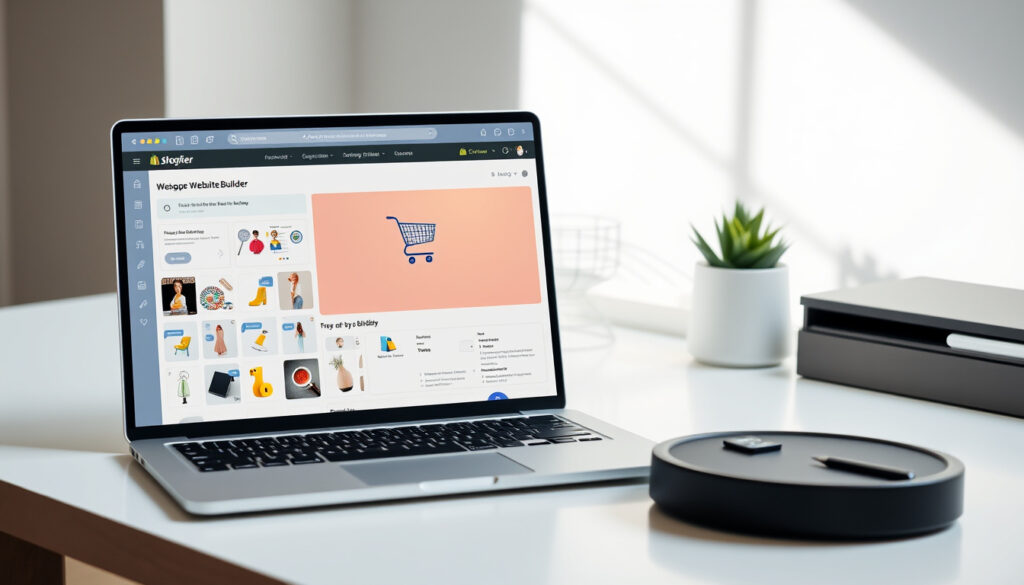
Shopify Make a Website: Full Step-by-Step Guide 2026
You already know you need a website — the question is whether Shopify is the right tool to build it. Anyone who has spent an afternoon comparing website builders has run into Shopify’s ads for a “free and easy” site, but the real costs and trade-offs only surface once you start digging.
Merchants active on Shopify: over 2 million (2025) ·
Free trial duration: 30 days ·
Basic plan monthly price: $39 (if paid annually) ·
Transaction fee per online sale: 2.9% + $0.30 (Basic plan) ·
Total sales processed by Shopify: over $200 billion annually
Quick snapshot
- Shopify offers a 30-day free trial without credit card (Shopify Pricing)
- Shopify Payments transaction fee on Basic plan: 2.9% + $0.30 (Shopify Pricing)
- You can transfer your custom domain away after canceling (Shopify Blog)
- Shopify has over 2 million active merchants (Shopify Pricing)
- Exact number of users making $10k/month on Shopify is not publicly disclosed (Shopify Pricing)
- Future pricing changes for 2026 are unconfirmed beyond current plans (Commerce UI)
- Basic plan rose from $29 to $39/mo; Grow from $79 to $105; Advanced from $299 to $399 — latest price increase in (Truvio)
- Shopify continues to expand its AI website builder and chat-based store setup (Shopify Blog)
| Key fact | Value |
|---|---|
| Number of merchants | Over 2 million (2025) |
| Free trial length | 30 days |
| Basic plan price (annual) | $39/month |
| Online transaction fee (Basic) | 2.9% + $0.30 |
| Third-party gateway extra fee | 2% |
| Custom domain purchase from Shopify | Starting ~$15/year |
Can I Use Shopify to Make a Website?
Yes — Shopify is built for creating a fully functional ecommerce website without needing to write code. The platform provides hosting, a content management system, and hundreds of templates, so you can go from sign-up to a live store in a single afternoon. According to Shopify’s official pricing page (the platform’s own subscription overview), it supports everything from a simple product page to a multi-category store with blog posts and landing pages.
What types of websites can Shopify build?
- Online stores with product catalogs, cart, and checkout — the core use case
- Blogs and content sites using the built-in blogging engine
- Landing pages and portfolio-style sites for service-based businesses
But it’s worth noting Shopify is purpose-built for selling, not for general-purpose publishing. The Shopify Blog (the company’s official tutorial hub) states Basic plan is the most popular choice among merchants — a strong signal that most users treat it as a store first, not a content site.
If your main goal is a simple portfolio or informational site without selling, Shopify’s monthly subscription makes it an expensive option compared to WordPress or Wix. You pay for ecommerce infrastructure you don’t need.
The implication: Shopify can build a website, but it makes most sense when that website’s primary job is to sell. For a blog-only or brochure site, the platform’s transaction fees and plan costs add up to more than you’d pay on a general-purpose builder.
Is It Free to Make a Website on Shopify?
Technically, yes — for the first month. Shopify offers a 30-day free trial that doesn’t require a credit card, according to Shopify Pricing (official subscription details). After the trial, you’ll need to pick a plan.
What is the cost of the free trial?
The trial gives you full access to all features for 30 days. No card, no commitment. NerdWallet (a consumer finance publisher covering software costs) also reports a promotional three months at $1 per month for new customers after the trial — a common entry offer.
Are there any hidden fees?
The subscription is transparent, but additional costs accumulate fast. A Commerce UI (ecommerce analytics firm) analysis notes that transaction fees and app costs can materially increase the real monthly cost beyond the advertised subscription price.
- Basic plan: $39/month (monthly) or $29/month (annual) — from Shopify Pricing
- Custom domain: ~$15/year if purchased through Shopify
- Premium themes: $150–$350 one-time
- App subscriptions: average $20–$80/month per app
The trade-off: the free trial is generous and risk-free, but the gap between “free to try” and “affordable to run” can surprise first-time users who hadn’t budgeted for apps and processing fees.
How Much Does Shopify Take From a $100 Sale?
On the Basic plan using Shopify Payments, the answer is $3.20. That breaks down to 2.9% ($2.90) plus a fixed $0.30 fee per transaction, as listed on Shopify Pricing (official fee schedule).
How do transaction fees vary by plan?
Higher-tier plans reduce the percentage rate:
| Plan | Shopify Payments rate | Third-party gateway extra fee |
|---|---|---|
| Basic | 2.9% + $0.30 | 2% |
| Grow | 2.6% + $0.30 | 1% |
| Advanced | 2.4% + $0.30 | 0.6% |
The pattern: the more you sell, the more you save by upgrading — but only if you stick with Shopify Payments.
What are payment processing fees for third-party gateways?
If you bypass Shopify Payments and use PayPal, Stripe, or another gateway, Shopify adds a 2% surcharge on the Basic plan according to NerdWallet (consumer finance analysis). That means a $100 sale processed through PayPal would cost you $1.90 (PayPal’s own fee) plus Shopify’s 2% surcharge ($2.00) — roughly $3.90 total, not counting PayPal’s own fixed fee.
For a store doing $20,000/month in sales, the difference between Shopify Payments (2.9%) and Advanced’s rate (2.4%) is $100/month — enough to offset the higher subscription cost of the Advanced plan.
The catch: Shopify effectively penalizes you for not using their native payment gateway. If you have a business reason to use a specific processor (e.g., regional bank partnerships), that 2% surcharge adds up fast.
How to Create a Website in Shopify?
Setting up a Shopify store takes about 30 minutes for the basics, though fine-tuning can take a full weekend. The official Shopify Blog tutorial (the company’s official step-by-step guide) outlines the process clearly. Here’s the practical workflow:
Step-by-step guide to setting up a Shopify website
- Sign up for the free trial — No credit card needed. Go to shopify.com and create an account. You’ll get a temporary .myshopify.com subdomain.
- Add products — Enter product names, descriptions, prices, and images manually, or import via CSV if you have a product list ready.
- Select a theme — Choose from free themes (dozens available) or paid options ($150–$350). The theme editor lets you change colors, fonts, and layout without touching code.
- Set up a custom domain — Buy one through Shopify (~$15/year) or connect an existing domain you already own. Shopify Blog walks through DNS configuration.
- Configure payments — Activate Shopify Payments or connect a third-party gateway. Set your tax rates based on your region.
- Set up shipping — Define shipping zones, rates, and carriers. You can offer free shipping, flat rates, or real-time carrier calculations.
- Launch your store — Remove the password protection page, and your site goes live.
What are the essential first steps?
The YouTube tutorial ‘Shopify Tutorial for Beginners 2026 – Set Up Your Store in 10 Minutes’ (creator-led beginner guide) emphasizes that the single most important step after signing up is adding your first product. Without products, there’s no store. The second is setting up payments — you can’t accept orders until that’s configured.
Shopify’s setup flow is designed to be completed in one sitting. The platform holds your hand through every step, but skipping the shipping and tax configuration early means orders will arrive with incorrect rates — a common rookie mistake that generates angry customer emails.
What Is the Downside of Shopify?
Shopify is powerful, but it is not cheap. The platform has several well-documented disadvantages that surface repeatedly in Reddit r/ecommerce community discussions (peer-run forum for online sellers) and independent reviews.
Common limitations of the platform
Upsides
- Fast setup — store live in under an hour
- No coding required for basic store
- Robust app ecosystem for adding features
- Reliable hosting with 99.99% uptime
- Built-in abandoned cart recovery
Downsides
- Monthly cost can exceed $100 with apps and fees
- Transaction fees add 2% if not using Shopify Payments
- Limited design flexibility on free themes without coding
- Difficult and expensive to migrate to another platform
- Customer support wait times reported as slow by some users
Is Shopify still worth it in 2026?
A Style Factory Productions (ecommerce software comparison site) analysis calls Basic the cheapest fully functional standalone online-store plan — a backhanded compliment given that “cheapest” still runs $29/month annually plus fees. For small local businesses with low sales volume, those costs eat a meaningful percentage of revenue.
Shopify is at once the easiest platform to start on and one of the hardest to leave. The more you customize it with apps and themes, the more locked in you become. Small store owners report spending months trying to migrate product data, customer histories, and SEO rankings to other platforms.
The pattern: Shopify works best for stores planning to grow. If you’re testing a side hustle with uncertain traction, the monthly burn rate (subscription + apps + fees) can turn a low-revenue test into a loss-making experiment.
Will I Lose My Domain if I Cancel Shopify?
No — but you need to act. Domains purchased through Shopify belong to you, not Shopify. According to Shopify Blog (official domain management guide), you can transfer your domain to another registrar.
Can I transfer my domain away from Shopify?
Yes. The transfer process requires unlocking the domain at Shopify, obtaining an authorization code (EPP code), and initiating the transfer at your new registrar. Most transfers take 5–7 days.
What happens to the site content after cancellation?
This is where many users get caught. Shopify does not automatically export your site content when you cancel. You must manually export products, pages, and customer data before canceling. The Shopify Blog recommends exporting a CSV of products and a copy of your theme files.
If you cancel and had a .myshopify.com subdomain, that URL stops working immediately. Your custom domain can be pointed elsewhere, but the store you built is gone unless you exported it.
Why this matters: the domain is safe, but the business you built on that domain is not. For any merchant considering leaving Shopify, the advice is clear — export first, cancel second.
stackinfluence.com, rigbyjs.com, skailama.com, checkthat.ai, ecomm.design
Frequently asked questions
Do I need a credit card to start the Shopify free trial?
No. Shopify’s 30-day free trial does not require a credit card. You can sign up and build your entire store before entering any payment information. Shopify Pricing confirms this.
Can I use my own domain with Shopify?
Yes. You can either buy a new domain through Shopify (~$15/year) or connect an existing domain you own from another registrar. Shopify Blog provides instructions for both options.
What is the cheapest Shopify plan?
The Basic plan at $29/month when billed annually is the lowest-priced fully functional store plan. There’s also a Starter plan at $5/month, but it’s limited to social selling (no standalone website). Shopify Pricing lists all options.
How do I export my products from Shopify?
Go to Products → All Products → Export. You can export as CSV. This includes product names, descriptions, prices, and variants. Shopify Blog has a detailed walkthrough.
Does Shopify include email hosting?
Shopify does not include free email hosting with custom domains. You need a third-party service like Google Workspace or Zoho Mail. Some paid Shopify plans offer forwarding addresses but not full inbox hosting.
Can I build a blog on Shopify?
Yes. Shopify includes a built-in blogging engine that lets you create posts with categories, tags, and comments. It’s not as advanced as WordPress, but it works for basic content marketing.
Is Shopify suitable for a small local business?
It depends on your volume. If you sell in person, Shopify’s POS system works well. But if your online sales are under $1,000/month, the $29/month subscription plus transaction fees can take 5-10% of your revenue. A cheaper alternative like Squarespace or Wix might fit better.
What happens when the free trial ends?
Your store becomes password-protected until you choose a paid plan. Your data remains intact for a period — Shopify typically keeps it for 30-60 days before permanent deletion. Shopify Pricing covers post-trial options.
For a small local business testing online selling in the US market, the choice is clear: start with the 30-day free trial, set up two products, process one test order — and only upgrade to a paid plan once you confirm real demand. Otherwise, the $29/month subscription plus 2.9% transaction fees turns a tentative side project into an expense before it has proven it can generate revenue.
More related posts
 Wordle Game Play Online Free: Best Starting Words & More
 Emmerdale Spoilers Next 2 Weeks – Full Episode Guide April 13-17
 A Minecraft Movie Poster – Official Sources and Buying Guide
 Ozempic NZ Buy Online – Legal Guide Prices Safety 2025
 Macs Fish n Chips: Menu, Locations & Reviews
 Air New Zealand Flight Schedule: Check Status & Timetables
 Kiwibank Lowers Home Loan Rates Effective 24 February 2025
 17 Best Things to Do in Paihia, New Zealand (Free + Family-Friendly)
