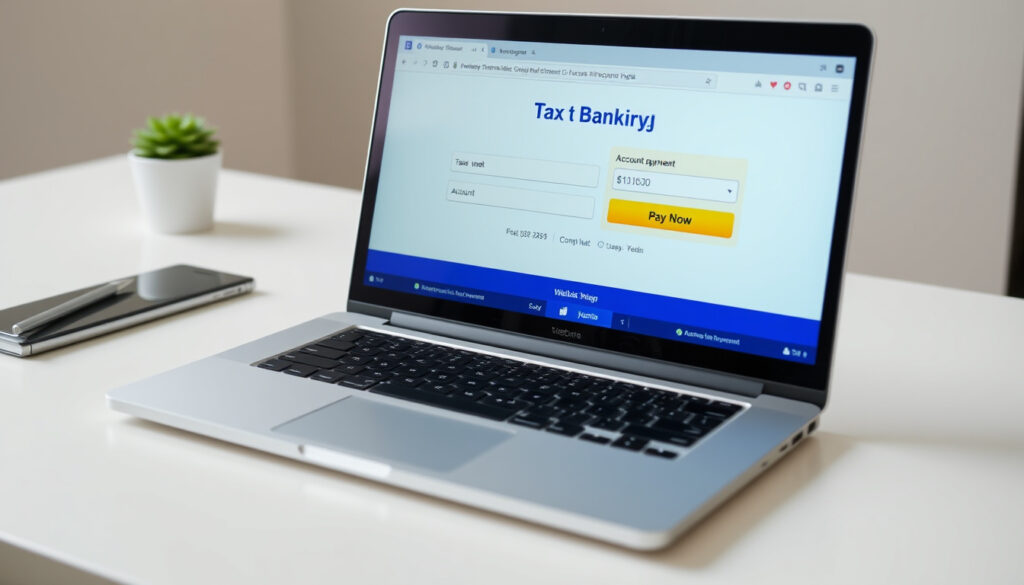
IRD Bank Account Number: How to Pay Tax via Internet Banking
Staring at a blank internet banking screen wondering what number goes where when paying your tax to Inland Revenue is a common frustration. The official IRD bank account number — 03-0049-0001100-27 — is essential, yet it’s easy to mix up with your own IRD number. This guide walks you through the exact number, how to use it for payments, and how to update your refund bank details, all based on official sources.
IRD bank account number: 03-0049-0001100-27 ·
Number format: Bank-Branch-Account-Suffix (e.g., 10-1234-00123456-0000) ·
Common payment method: Internet banking via ‘Pay Tax’ feature ·
Official source: Inland Revenue New Zealand (ird.govt.nz)
Quick snapshot
- Official IRD bank account number: 03-0049-0001100-27 (Inland Revenue New Zealand — government tax agency)
- Used for all tax payments via internet banking (Inland Revenue)
- Your IRD number goes in the ‘Particulars’ field (Inland Revenue)
- Exact internet banking interface varies by bank — ASB, ANZ, BNZ, Westpac all offer slightly different paths (Prosper Business — accounting advisory)
- Third-party sites may list outdated numbers; always cross-check with ird.govt.nz (Sumtree — tax payment guide)
- Payments generally process within 1–2 business days, but using the wrong code can delay visibility by weeks (Impact Consulting — tax advisory)
- Some banks allow scheduling payments up to 12 months in advance (Prosper Business)
- If you’re a new taxpayer, apply for an IRD number first — no bank account needed (Inland Revenue)
- To receive refunds, update your bank account via myIR using the correct format (Inland Revenue — update bank details page)
Four key facts about the IRD bank account number, drawn from the official government source and supporting advice.
Below is a summary of the critical details you need to get tax payments right.
| Label | Value |
|---|---|
| Official IRD bank account number | 03-0049-0001100-27 |
| Number format | Bank-Branch-Account-Suffix (e.g., 10-1234-00123456-0000) |
| Common payment method | Internet banking via ‘Pay Tax’ feature |
| Official source | Inland Revenue New Zealand (ird.govt.nz) |
What is an IRD bank account number?
Official bank account number for Inland Revenue
The IRD bank account number is the account that Inland Revenue uses to receive tax payments from individuals and businesses in New Zealand. It is not your personal IRD number — that’s a unique identifier for you as a taxpayer. The IRD bank account number is a standard New Zealand bank account number held by the government department.
- Full number: 03-0049-0001100-27 (Inland Revenue New Zealand — government tax agency)
- Used for income tax, GST, provisional tax, and other tax types
- Always use the exact number with hyphens or spaces as shown
Taxpayers who confuse the IRD bank account number with their own IRD number risk sending payments to the wrong place. The IRD number is 8 or 9 digits; the bank account number is a 16-digit code with hyphens.
How the number is structured (bank-branch-account-suffix)
New Zealand bank account numbers follow a standard format: Bank-Branch-Account-Suffix. For the IRD account, “03” is the bank code (for Westpac, the bank that holds this account), “0049” is the branch, “0001100” is the account number, and “27” is the suffix. This structure is used across the country — your own bank account at any NZ bank follows the same pattern (Infor — enterprise software documentation).
The implication: when you enter the IRD bank account number, you must replicate the hyphens or spaces exactly. Omitting the suffix or swapping digits will cause the payment to fail or be delayed.
How do I make payments to the IRD?
Pay via internet banking
Internet banking is the most common method for paying tax to Inland Revenue. According to the official IRD website, you can log into your bank’s internet banking or mobile app and select “Pay Tax” or a similar option (Inland Revenue New Zealand). The steps are:
- Log into your bank’s internet banking (e.g., ANZ, ASB, BNZ, Westpac).
- Choose the “Pay Tax” or “Pay IRD” option — if not available, add a new payee using the IRD bank account number.
- Enter the IRD bank account number: 03-0049-0001100-27.
- In the “Particulars” field, enter your IRD number (your personal tax number). If your IRD number has 8 digits, add a leading zero (Inland Revenue).
- In the “Code” field, enter the payment type and period (e.g., “INC 31032016” for income tax ending 31 March 2016) (Inland Revenue).
- Enter the amount and confirm the payment.
“If you need it, our bank account number is: Inland Revenue Department 03-0049-0001100-27”
— Inland Revenue New Zealand (ird.govt.nz)
The pattern here is that getting the code field wrong can make your payment invisible to IRD for weeks, so double-check before confirming.
Pay via direct debit or instalment arrangement
If you prefer automatic payments, you can set up a direct debit through Inland Revenue’s myIR service. This is useful for regular payments like GST or provisional tax. The IRD also offers instalment arrangements for taxpayers who need to pay off a debt over time (Inland Revenue).
Using the ‘Pay Tax’ or ‘Pay IRD’ option in your bank
Many New Zealand banks have a dedicated “Pay Tax” feature. For example:
- ANZ: Go to “Pay & transfer” then “Pay tax” (Prosper Business — accounting advisory).
- ASB: Select “Payments” then “IRD Payments” (Prosper Business).
- BNZ: Use “Bill Payment” and “Make a Tax Payment” (Impact Consulting — tax advisory).
These shortcuts pre-fill the IRD bank account number for you, reducing the risk of mistyping.
Using the wrong payment code — for instance, leaving out the period for income tax — can cause the payment to be invisible in the IRD system for weeks. Always double-check the “Code” field (Impact Consulting).
What is IRD’s bank account number?
The full number: 03-0049-0001100-27
The official IRD bank account number, sourced from Inland Revenue’s website, is 03-0049-0001100-27. This is the number you should use for all tax payments via internet banking. Third-party sources, such as Sumtree and the Individuals brochure PDF, also confirm this number (Sumtree — tax payment guide; Individuals brochure PDF — IRD information).
Format explanation: bank 03, branch 0049, account 0001100, suffix 27
Breaking it down:
- 03 — Bank code for Westpac (the bank that holds the IRD account).
- 0049 — Branch code.
- 0001100 — Account number within that branch.
- 27 — Suffix (often used for separate ledger accounts).
This is a standard New Zealand bank account number format. For comparison, your own bank account might look like 10-1234-00123456-0000 (Inland Revenue — update bank details page).
The pattern: the IRD bank account number is just a regular NZ bank account — no IBAN is needed for domestic transfers. For international payments, you would need to use SWIFT/IBAN, but the IRD prefers domestic transfers.
Do I need a bank account for an IRD number?
IRD number application process
No, you do not need a New Zealand bank account to apply for an IRD number. You can apply online or by paper form. The IRD number is assigned to you as a taxpayer regardless of your banking situation (Inland Revenue).
Bank account required for refunds
If you expect a tax refund, you will need a bank account for the money to be deposited into. Inland Revenue does not send cash or cheques by default — they use direct credit. You can update your bank account details through myIR at any time (Inland Revenue).
“You need to add your bank account number using this format: 10-1234-00123456-0000 (bank, branch, account, suffix)”
— Inland Revenue New Zealand (update bank details page)
The catch: while you don’t need a bank account to get a tax number, you’ll need one to get any money back from IRD.
How to add refund bank account IRD
Update bank account details online via myIR
To add or update your bank account for refunds, log into the myIR portal. Follow these steps:
- Log into myIR at ird.govt.nz.
- Navigate to “Update bank account details” under your profile.
- Enter your bank account number in the correct format: 10-1234-00123456-0000 (bank, branch, account, suffix).
- Confirm the account is yours — it must be a New Zealand bank account.
- Save changes. The update is usually reflected within 24 hours.
This account is used only for refunds, not for making payments. You pay the IRD using the IRD bank account number (03-0049-0001100-27), and Inland Revenue sends refunds to the account you specify in myIR (Inland Revenue).
Format required: 10-1234-00123456-0000 (bank-branch-account-suffix)
Inland Revenue explicitly requires the format 10-1234-00123456-0000 — that is, two-digit bank, six-digit branch (with hyphen after two), seven-digit account number, and four-digit suffix (with hyphen before the suffix). If your own bank account number has a different suffix length (e.g., 3 digits), you still need to enter it exactly as shown on your bank statement. The IRD system validates the format (Inland Revenue).
For a broader understanding of potential pitfalls, it’s worth reviewing IRD tax compliance warnings to ensure your tax affairs are fully in order.
Frequently asked questions
What is the difference between my IRD number and the IRD bank account number?
Your IRD number is a unique 8- or 9-digit identifier assigned to you as a taxpayer. The IRD bank account number (03-0049-0001100-27) is the account that Inland Revenue uses to receive payments. You use your IRD number in the ‘Particulars’ field when making a payment to the IRD bank account.
Can I pay my tax by credit card instead of bank transfer?
Inland Revenue generally does not accept credit card payments for most tax types. The primary methods are internet banking, direct debit, and occasional cheque or cash at a bank branch. Credit card payments may be possible through third-party providers but incur fees.
How do I know if my payment to IRD was successful?
After making the payment via internet banking, the bank will provide a confirmation number. You can also check your myIR account after a few business days to see the payment reflected. If it doesn’t appear within a week, contact Inland Revenue.
What should I do if I entered the wrong IRD bank account number?
If you entered a wrong number and the payment went to a different account, contact your bank immediately to attempt a recall. If it went to the correct IRD account but with an incorrect reference, contact Inland Revenue to ensure the payment is allocated correctly.
Is it safe to pay taxes via internet banking to the IRD?
Yes, internet banking is a secure method. The IRD bank account number is a legitimate government account. Always ensure you are using the official number from the ird.govt.nz website and not a number from an unsolicited email.
Can I use a non-New Zealand bank account to pay IRD?
Inland Revenue recommends using a New Zealand bank account for domestic payments. If you are overseas, you may be able to use international wire transfer, but that will incur fees and may take longer. Contact Inland Revenue for specific instructions.
How long does it take for an IRD payment to process?
Internet banking payments usually process within 1–2 business days. However, if you use the wrong payment code, it may take several weeks for the payment to appear in the IRD system. Always double-check the code field.
For New Zealand taxpayers, the choice is clear: use the official IRD bank account number 03-0049-0001100-27 for all payments, enter your own IRD number in the particulars, and keep your refund bank account updated via myIR. Getting these details right means your tax payments land where they should, without delay.
More related posts
 Boxing Day Sale NZ 2026: Be t Deal , Date & Retailer Guide
 AZ Alkmaar vs Tottenham 2025: Score, Highlights, Stats & Lineups
 Liam Lawson Deletes Social Media After Toxic Online Abuse
 Butter Chicken Near Me: Best Dublin Spots & Origins Explained
 Jetstar Grab a Seat: Find Cheap NZ Flights & Compare Prices
 La Roche-Posay Effaclar Duo+M: Uses, Ingredients, and How to Use
 Victoria School Holidays 2025: Complete Term Dates & Breaks
 Huggies Nappy Pants Size 4: Sizing Chart, Weight & Ireland Guide
